How I Think and Work with Claude Code: 5 Mental Models & 8 Habits
The word "Code" in the name sends the wrong people away. Claude Code is not a coding tool, it is the missing piece of personal automation. Here is the mental map, five ways to think about it and eight habits that put you ahead, written up so you can skim it and come back to it.
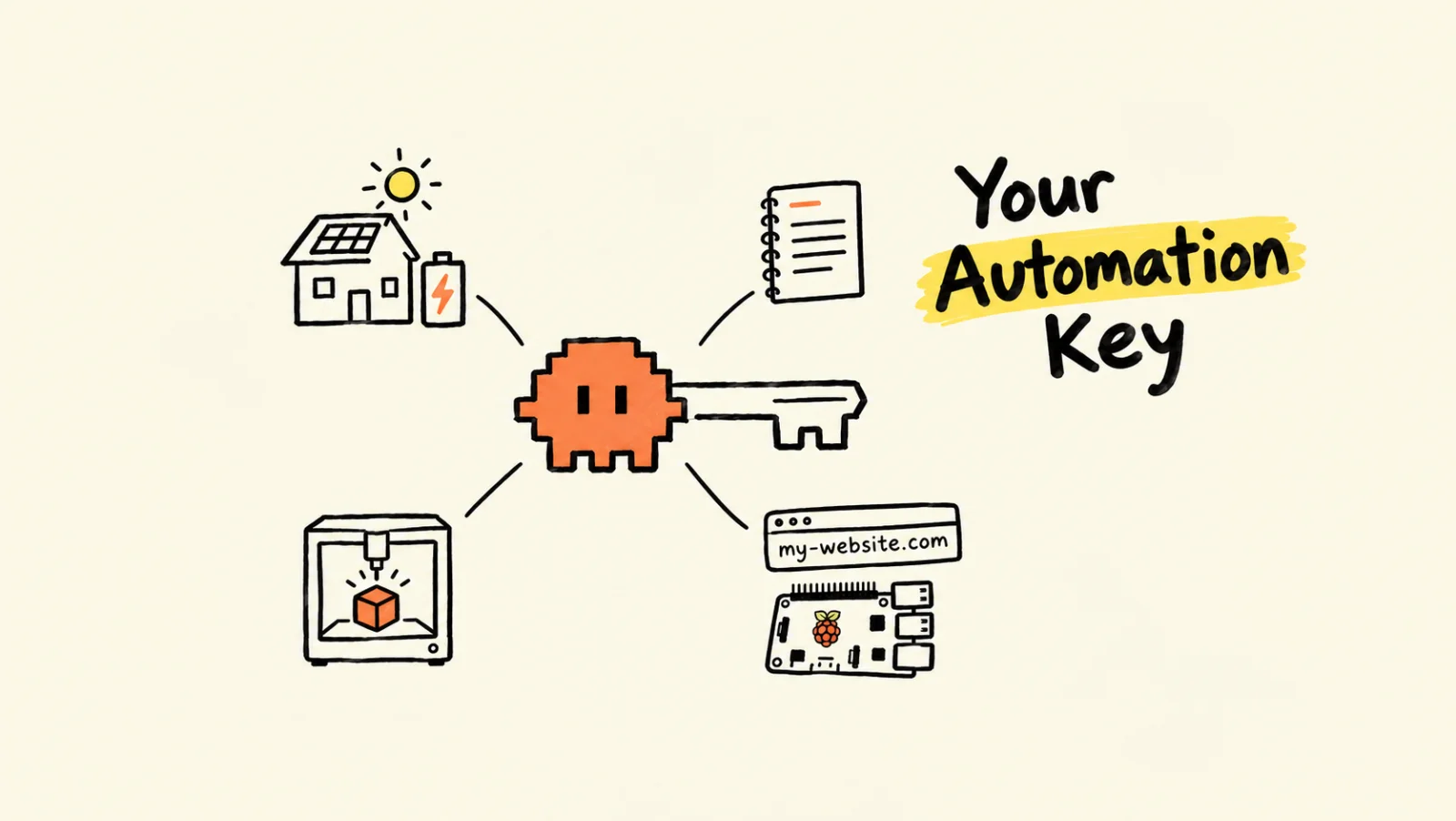
- Chat app vs. agent A chat app talks. An agent does.
- Fuzzy → precise Claude bridges your ideas and real programs.
- Context is fuel It only knows what you give it.
- Organise first Messy files confuse AI too.
- Everything is Claudable If it has an interface, just ask.
- One project, one folder Start there, split big goals.
- CLAUDE.md = memory Let it remember the project.
- Right model for the job Opus plans, Sonnet builds.
- Manage sessions
/resume,/clear, one task each. - Bring files in by path Don't change where you start.
- Save it to .md Keep what's worth keeping.
- Ask it to interview you Not sure? Let it ask.
- Learn with one .html Then follow up in chat.
It's Not a Coding Tool
Claude Code, Codex: you've probably heard about these AI agent tools everywhere by now. And if you're like most people, you saw the word "Code" and thought: that's for developers, not me.
That's the biggest misunderstanding about these tools. They're not really coding tools. They're the missing piece of something I've been chasing for years: automating my personal life. My notes, my ideas, my projects, my personal website, my IoT devices.
I'm an engineer with over a decade of experience, and I've been using AI since the first ChatGPT moment. Of everything I've tried, this is the easiest and most practical personal automation tool so far. And it's for everyone.
This isn't a step-by-step tutorial. There are plenty of great ones on YouTube, and you'll find one that suits your pace. What I want to give you is the mental map: how to think about this tool, and the habits that put you ahead of most people using it. I use Claude Code as the example because it's what I use every day, but almost everything here applies to Codex, or whichever agent you pick.
What It Can Do
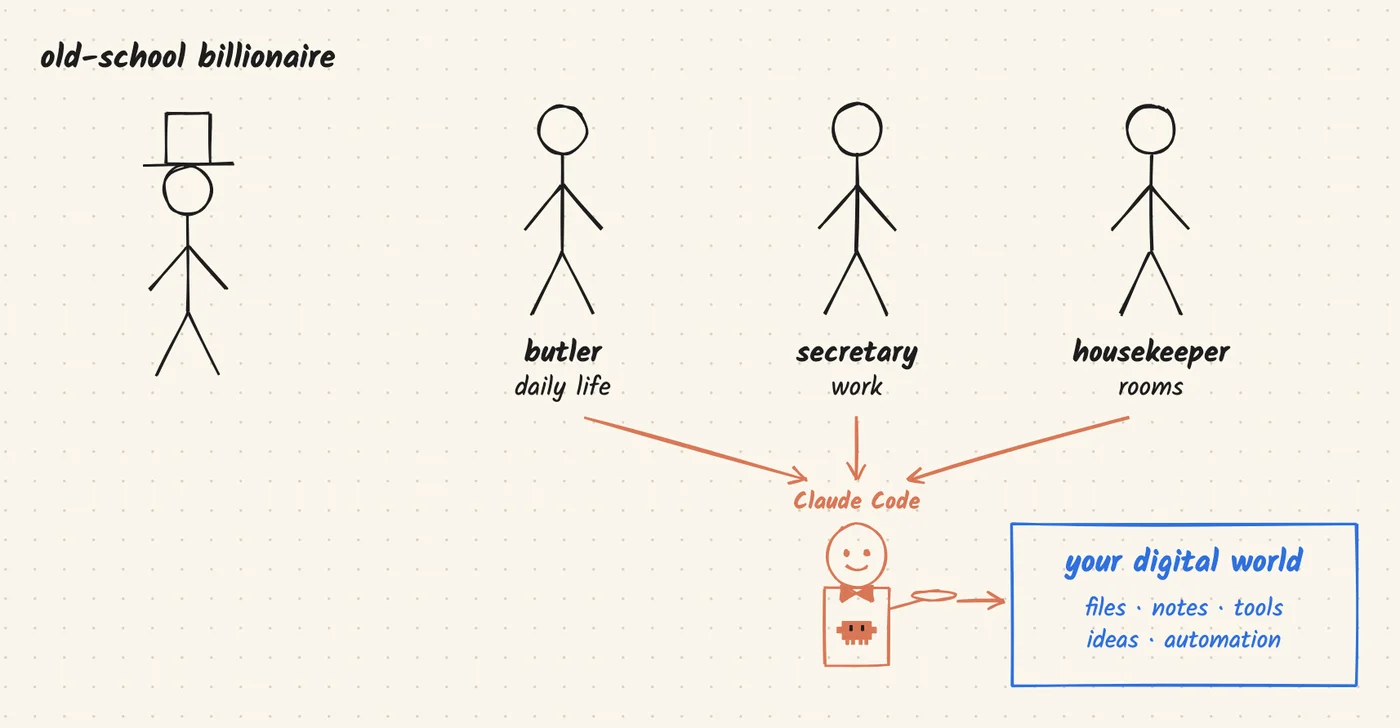
Here's how I see it. AI is becoming a utility, like the internet or electricity: something you use every day without thinking about it. Claude Code is the one that puts it to work for you. It's your executor.
Picture yourself as an old-school billionaire. You'd have a butler arranging your daily life, a secretary arranging your work, and a housekeeper cleaning your rooms. Claude Code is all of them combined, and it manages your digital world. You just need the habit of digitising your world.
That's why I think AI agents are the closest thing we have to cheap, achievable automation for personal daily tasks. And yes, I said cheap: around $30 a month, so about $360 a year, for one of the quality models. Don't let that fee scare you off. It pays back.
I started as an AI chat user, then switched to agent tools like Claude Code and Codex because I could see they would ultimately solve my long-term personal automation. Think of it like paying for education. You won't see the value in the short term; you see it in the long run. It's a cheap productivity investment.
Five Mental Models
How should you think about using it? These are the five I always keep in mind.
1 · Chat App vs. Agent
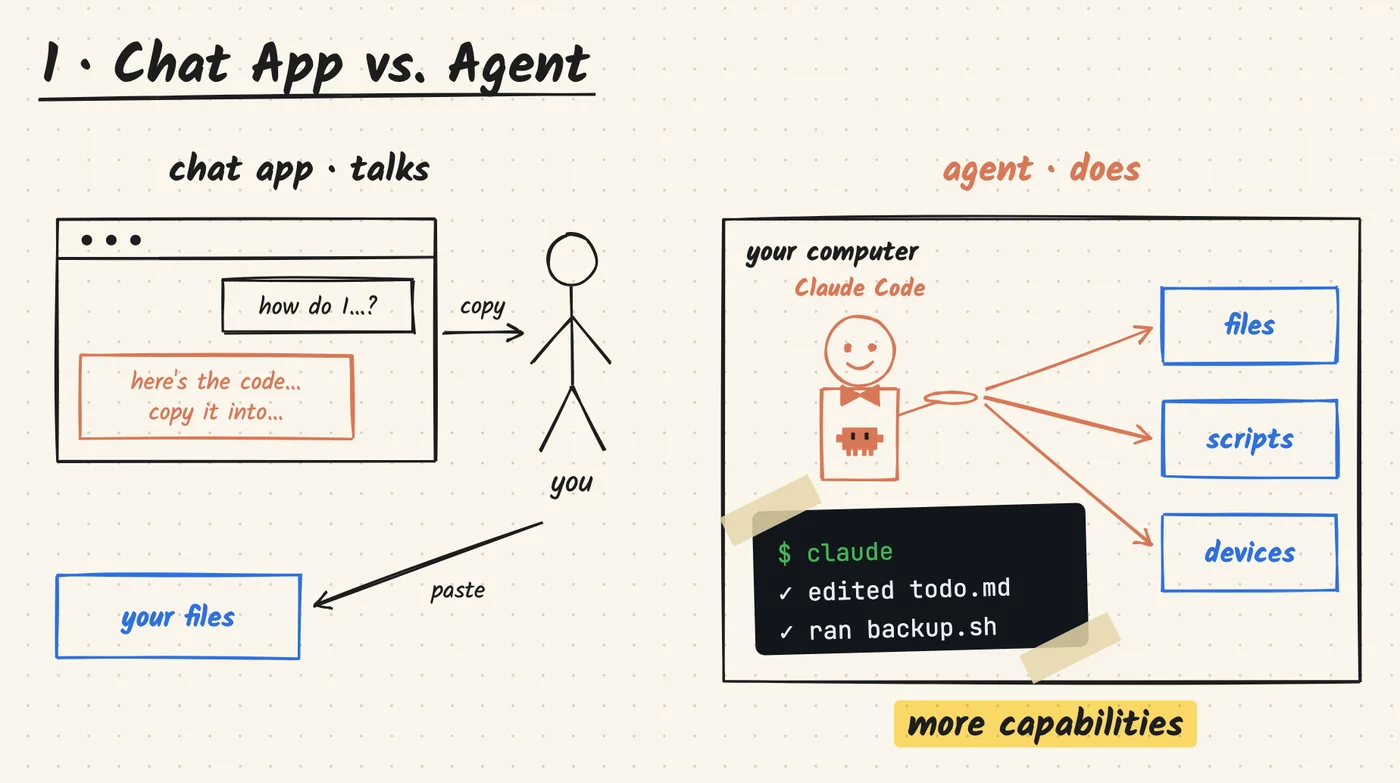
A chat app can only talk. An agent can actually do things.
When you use ChatGPT or Claude in a browser, it talks, and you do the copy and paste. When you run Claude Code or Codex in the terminal, it works directly on your computer, and that's where a lot more capabilities open up.
Here's the lucky part: the computer world leans heavily on modules and packages that are easy to drive from the terminal. Most of the time, you can do a lot more there than through any app's UI.
You don't need to become a terminal expert. Just keep two ideas in mind:
- Your computer is file based. Everything lives at a file path.
- The terminal is just a way to tell your computer to run things, instead of clicking.
That's pretty much enough to start. Pick up cd, ls and pwd to move around and keep things in order, and you're good.
2 · Fuzzy → Precise
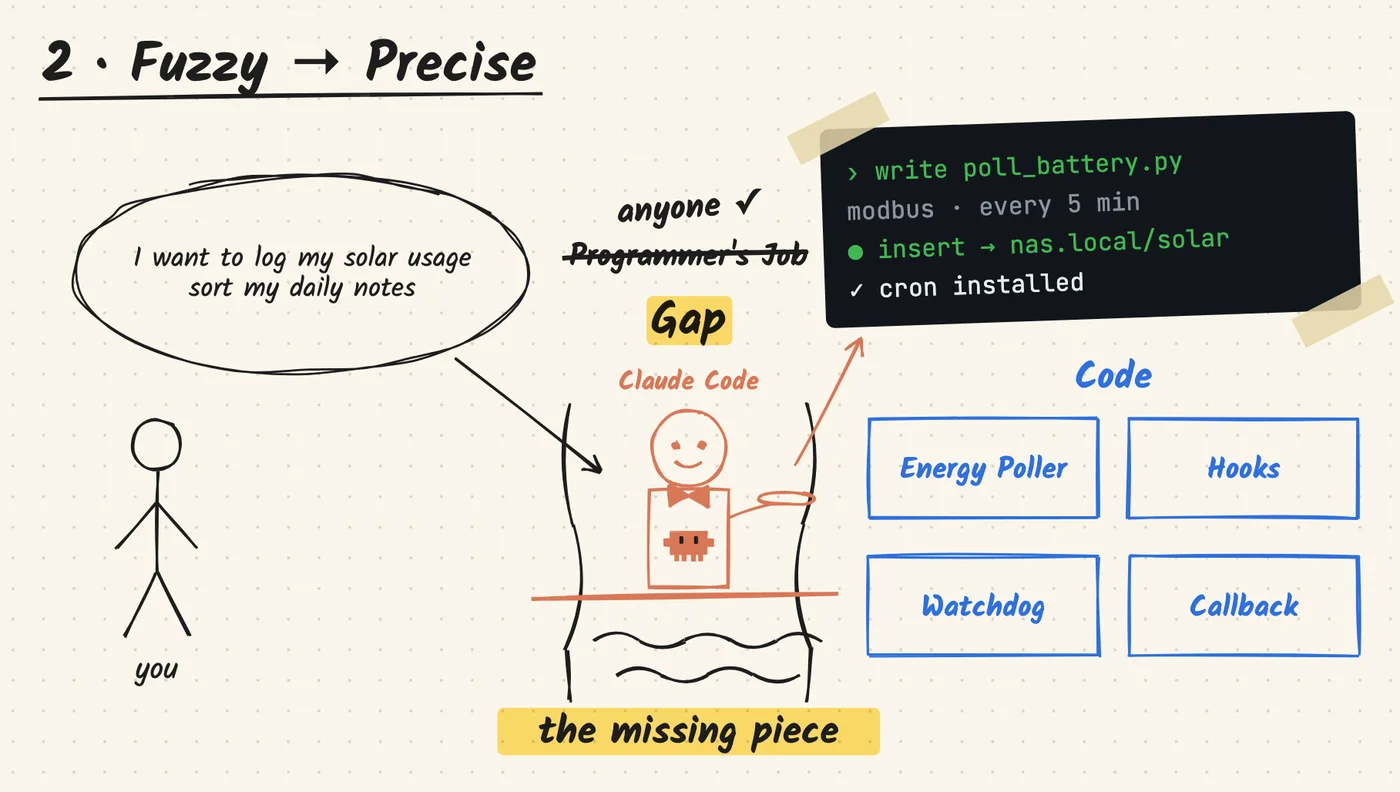
Claude is the bridge between fuzzy and precise.
Programs are precise, and they can do a lot. But turning them into a productivity tool has always been a job for experienced programmers. Our ideas are fuzzy: "I want to log my solar battery usage." "I want my notes sorted." That gap is what kept most people out of automation.
Claude Code (or another agent like Codex) closes it. It can write the code and call the tools for you, and that clears a lot of roadblocks. You don't need to be a programmer. With a bit of software mentality, you can turn fuzzy ideas into real working code. That's why I call it the missing piece.
3 · Context is Fuel
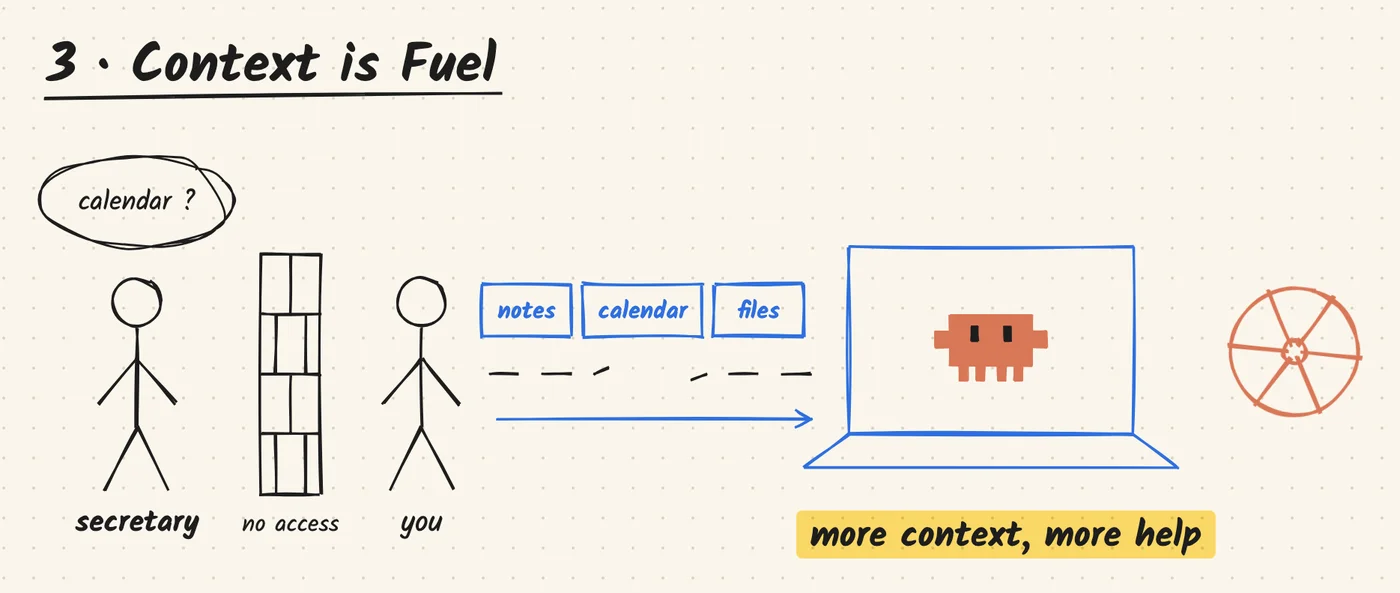
Until some tool can easily bridge our physical and digital worlds, AI only knows what you give it. You need to give it enough of your context to start the wheel spinning, and the more you give, the more it can help.
Think back to that secretary. If you don't trust them to check your calendar, how can they arrange your time?
Yes, privacy and security are valid concerns. But you always give up something to get something. For me, being relatively safe, not absolutely safe, is a good enough trade for better productivity.
And keep using it. The compound effect only shows up after a while. Don't worry about getting stuck with one tool, either: if you switch to another agent later, migrating isn't tough. If you don't know how, ask it.
4 · Organise First
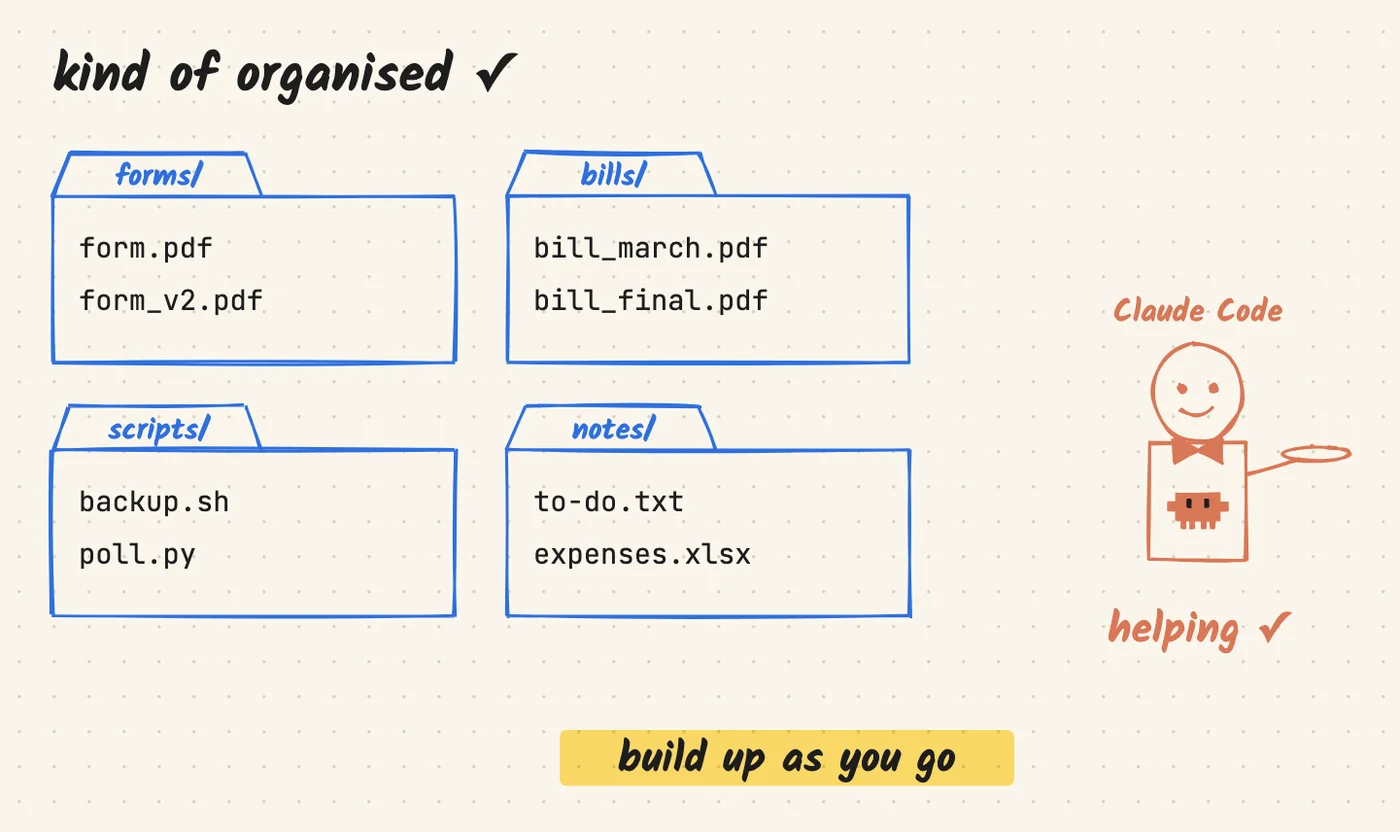
If your stuff is messy, AI gets lost too. Imagine one folder with your forms, bills, expenses and to-do notes all smashed together. You'd struggle to find anything in there, and so would Claude.
It doesn't need to be perfect, just organised in some way that makes sense. Then AI can actually help, and it can even help with the organising. It's probably messy right now, and that's fine. As long as the area your agent works in is kind of organised, that's a good start. Build up as you go.
5 · Everything is Claudable
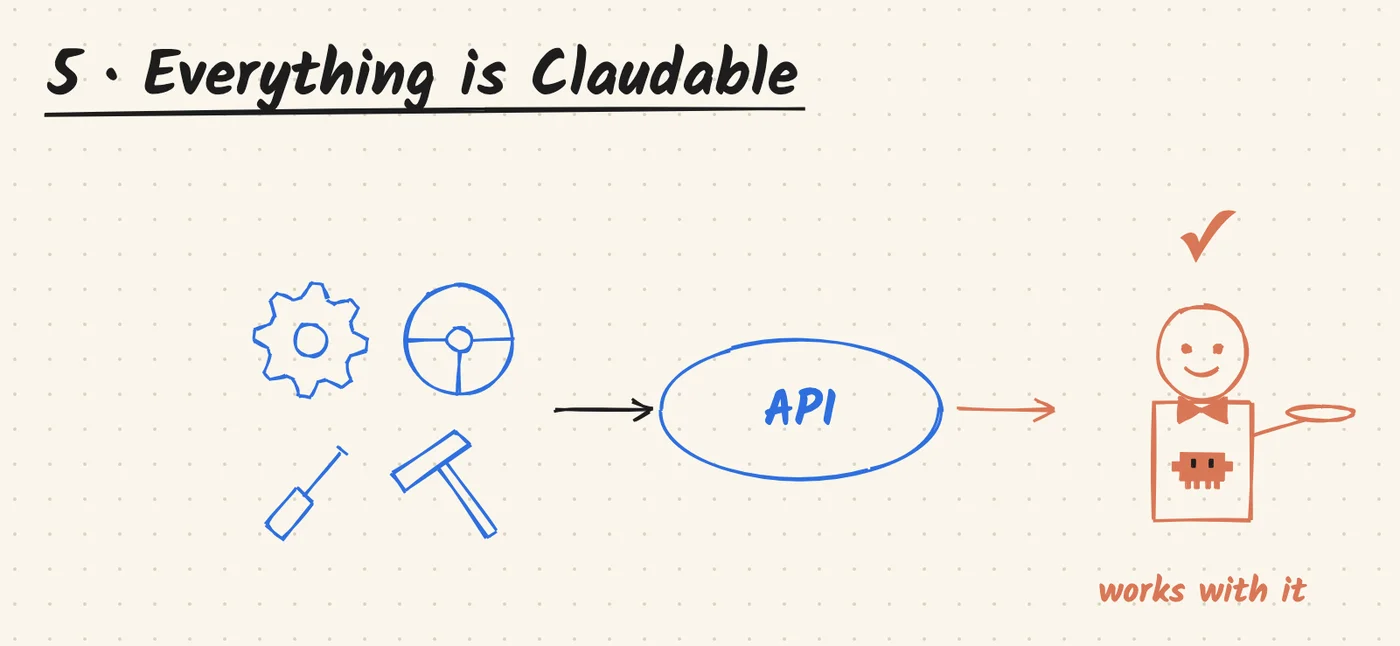
The core is the interface. If something has an interface or an API that the device running Claude can reach, Claude can work with it.
This website is a good example. It's hosted on my Raspberry Pi, the database lives on my NAS, and it pulls data from my solar battery, my 3D printer and my IoT devices. Different devices, different brands. To Claude, they're all the same thing: something with an interface it can reach.
And honestly, I didn't have much hands-on experience with how websites work. My job has nothing to do with building them; I only had a rough idea of how one is put together. I had the idea, worked through it with Claude bit by bit, and now here it is.
So here's my rule: if there's even a trace that Claude might be able to do it, or you're just not sure, ask it. Many times it comes back with more than I expected.
Eight Habits
Now the practical part: the habits I keep every time I use Claude Code. These assume you know the basics of how the terminal and file system work. If you don't yet, there are plenty of excellent YouTube videos on it, and it won't take you more than half an hour.
cd into the project first. Split big goals into modules.
02CLAUDE.md = memoryKeep scope and context in CLAUDE.md, or ask Claude to update it.
03Right model for the jobSonnet for most work. Opus plans, Sonnet builds.
04Manage sessions/resume to continue, /clear when it drifts, new task = new session.
05Bring files in by pathStart in your project; paste paths to bring outside files in.
06Save it to .mdAnything worth keeping goes in a short .md file.
07Ask it to interview youNot sure what you want? Let Claude ask the questions.
08Learn with one .htmlOne interactive page beats a wall of text. Try it below.
1 · One Project, One Folder
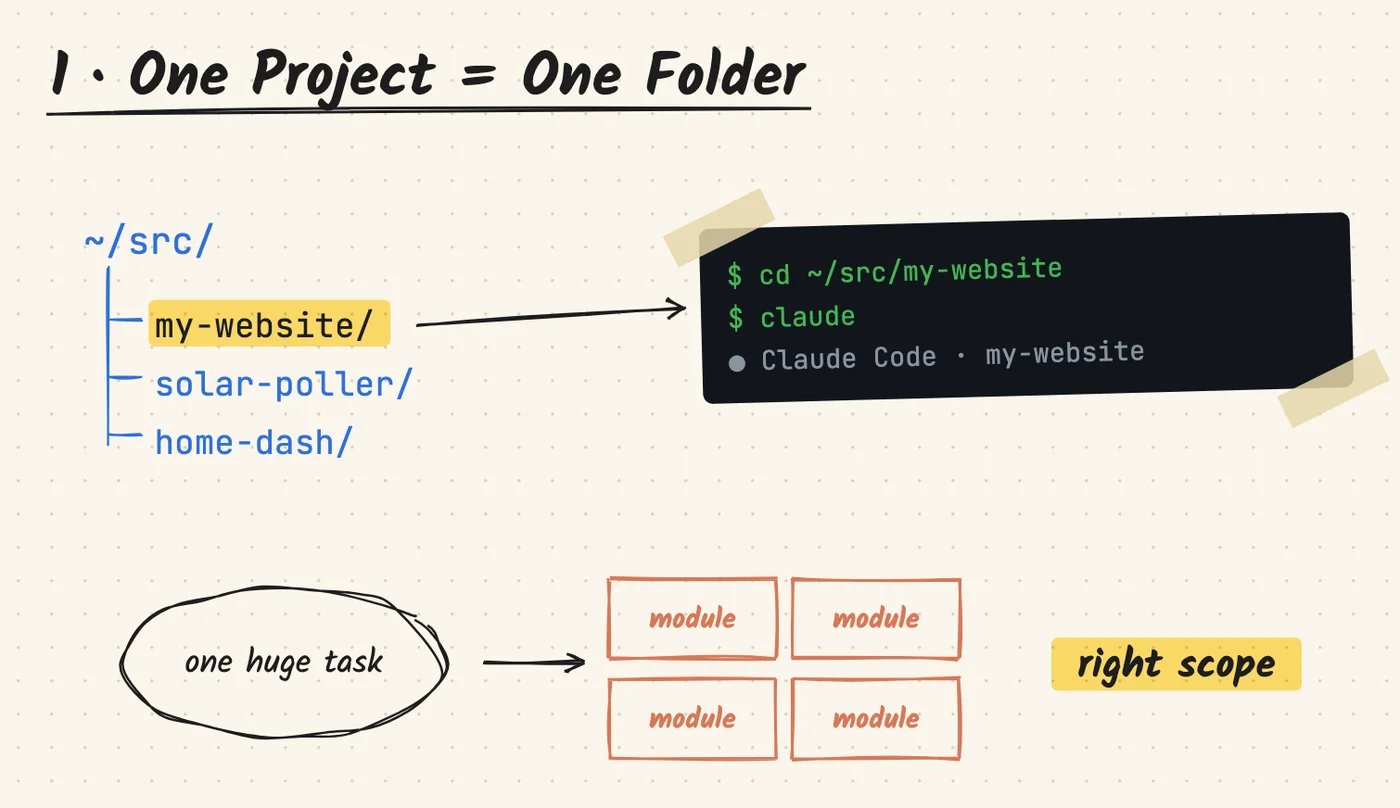
Claude Code is meant to work project based, which means folder based. Always cd into the project folder first, then start claude. I keep a src folder where all my projects live, and most of the time that's the only place I need to think about starting Claude Code.
Get into the habit of splitting your task into modules, too. Working at the right scope keeps Claude's context isolated, and it's easier for both you and the AI.
"Build me a website" is way too big for one command. So I split it into multiple projects that reach one goal:
- Set up hosting on my Raspberry Pi, with the database on my NAS.
- Build the skeleton: public pages, a blog, and login pages where my home automation data lives.
- Build the public-facing pages.
- Split the home automation pages again: solar battery logging, NAS, 3D printer, IoT devices.
- Write a runner script that actually polls my data and saves it to the database, so the website can pull from it.
2 · CLAUDE.md = Memory
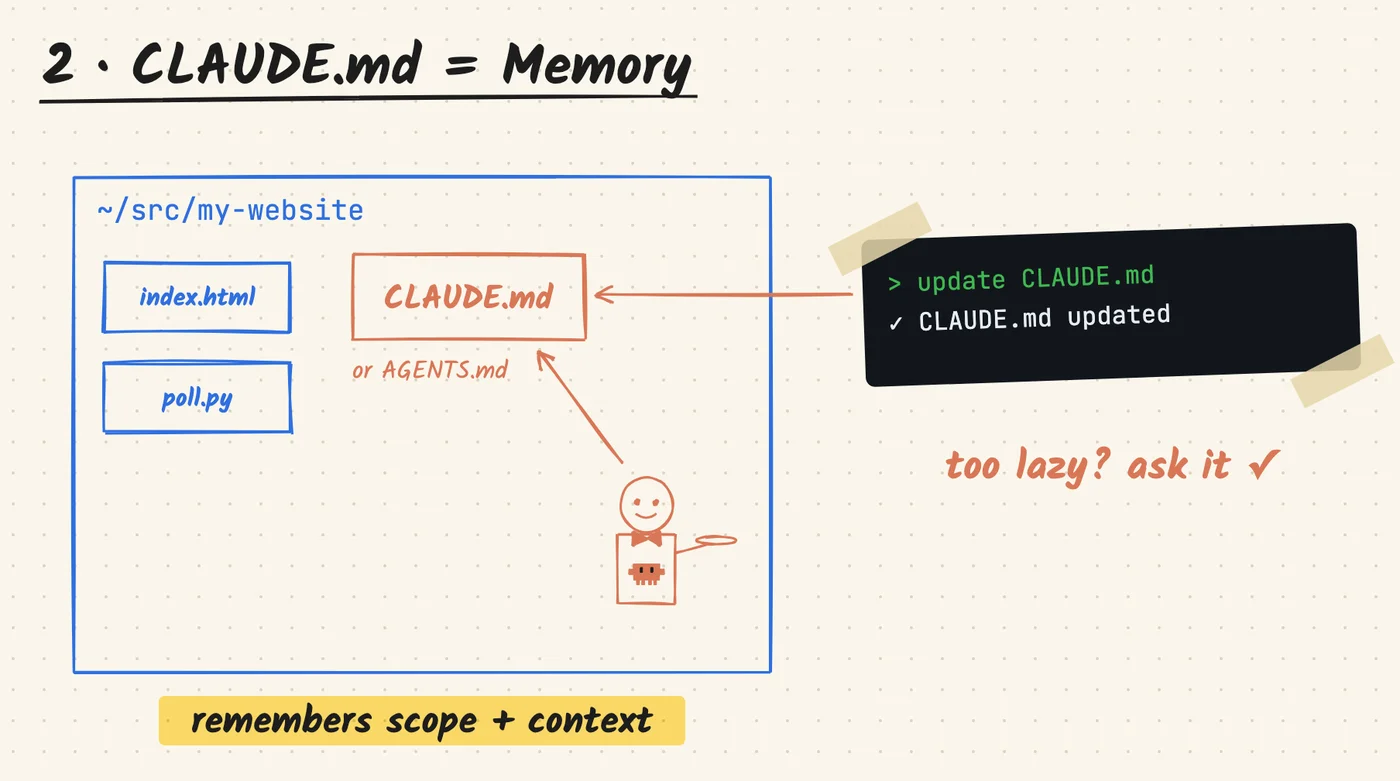
Put a CLAUDE.md (or AGENTS.md for Codex) in your project folder. It's your project's memory: it helps Claude remember the project's scope and context whenever you're working in that folder. Make good use of it.
And if you're too lazy to maintain it, just tell Claude to update CLAUDE.md.
3 · Right Model for the Job
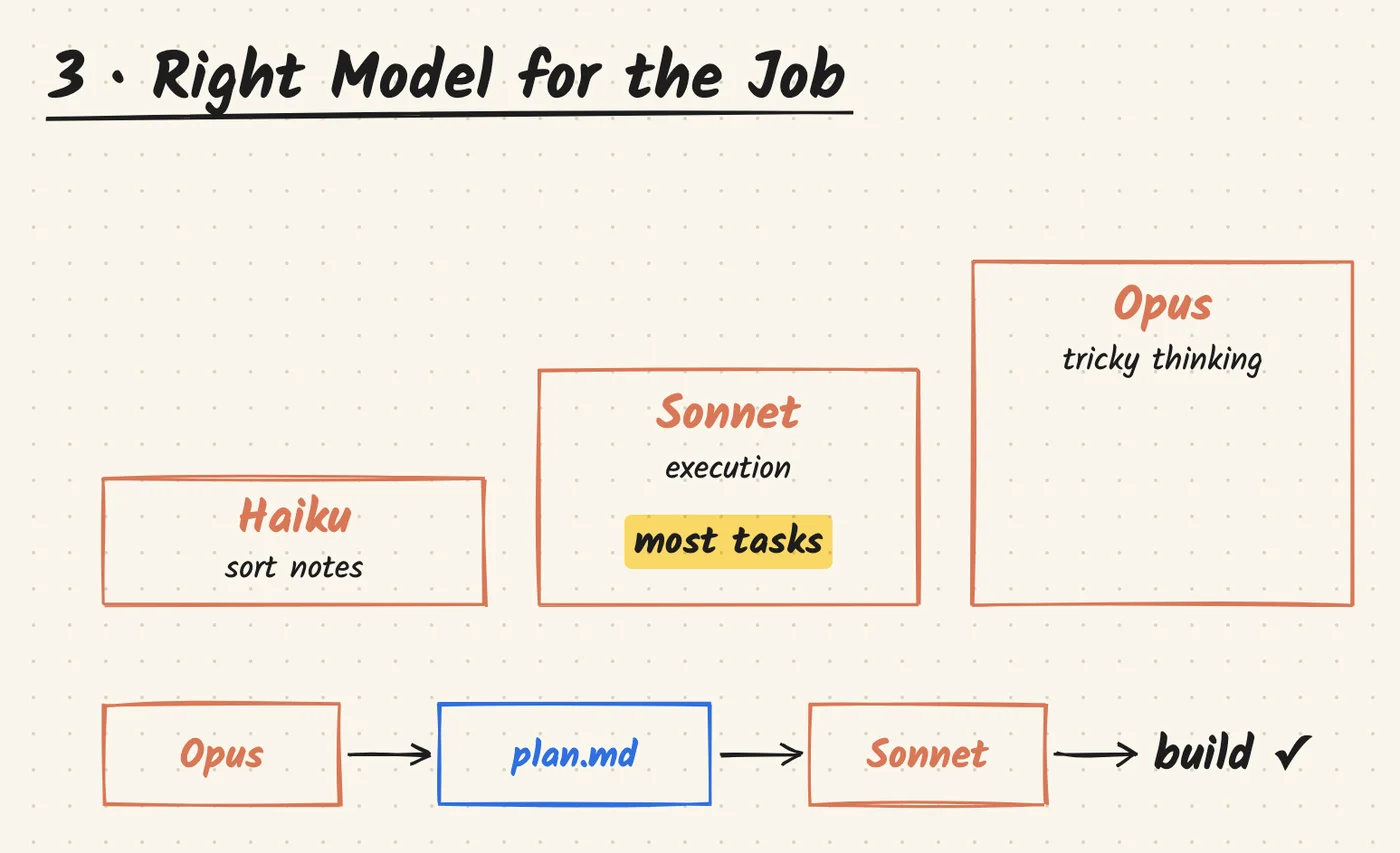
You don't need the top model all the time. Sonnet is good and efficient for executing most tasks. Hand only the tricky ones, the ones that need real thinking, to Opus. For organising notes, Haiku works great too.
Even for complex work, I normally get Opus to write up a plan, then point Sonnet at that plan to build it.
4 · Manage Sessions
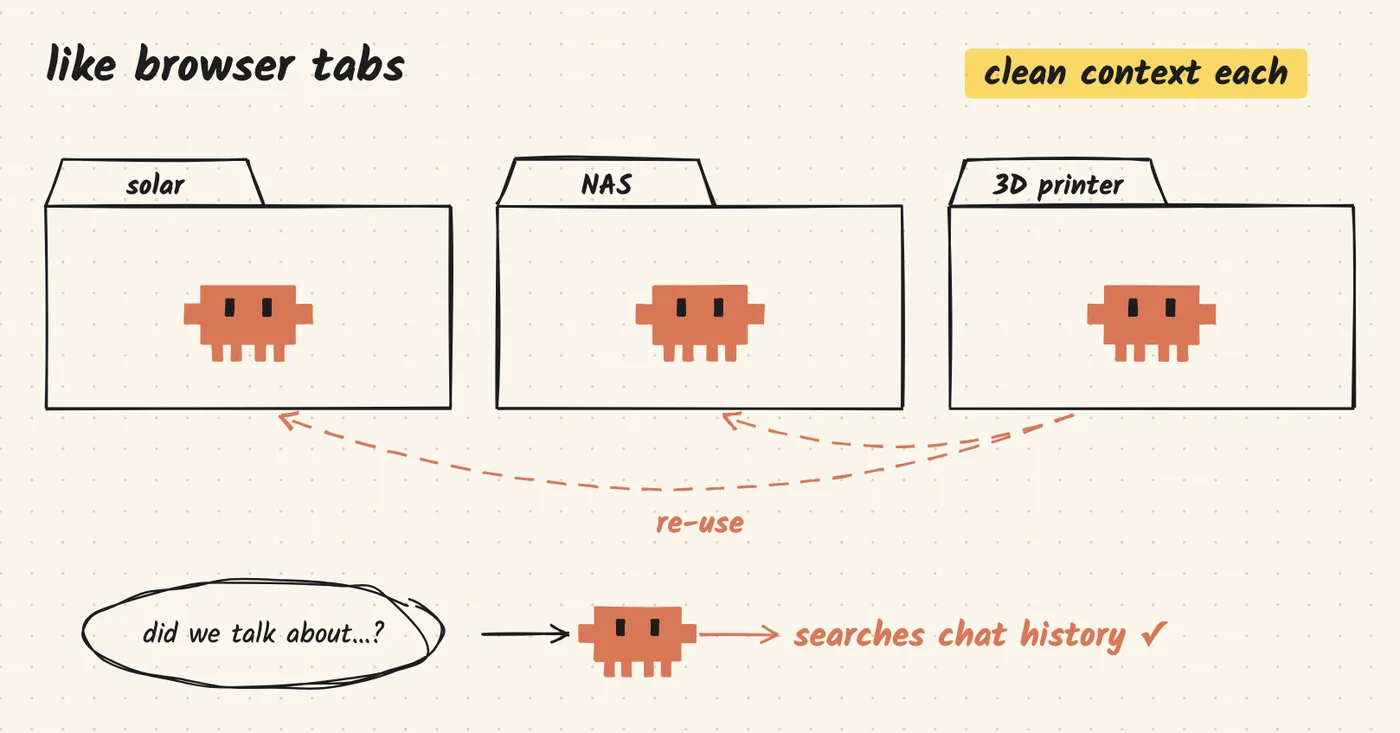
Left something unfinished last night? Use /resume and pick it up the next day. Just remember to resume in the same folder.
When you start a new task, or the chat shows any sign of drifting off topic, start a new session or /clear. For example, the background script that polls my solar, NAS and 3D printer data was three sessions, not one. Each keeps a clean context window with less contamination. If something is transferable, just point Claude at that module and it'll figure out how to reuse it.
And if you can't remember whether you've talked about something before in this project, don't dig through old sessions. Just ask Claude: it can search your project's chat history.
5 · Bring Files In by Path
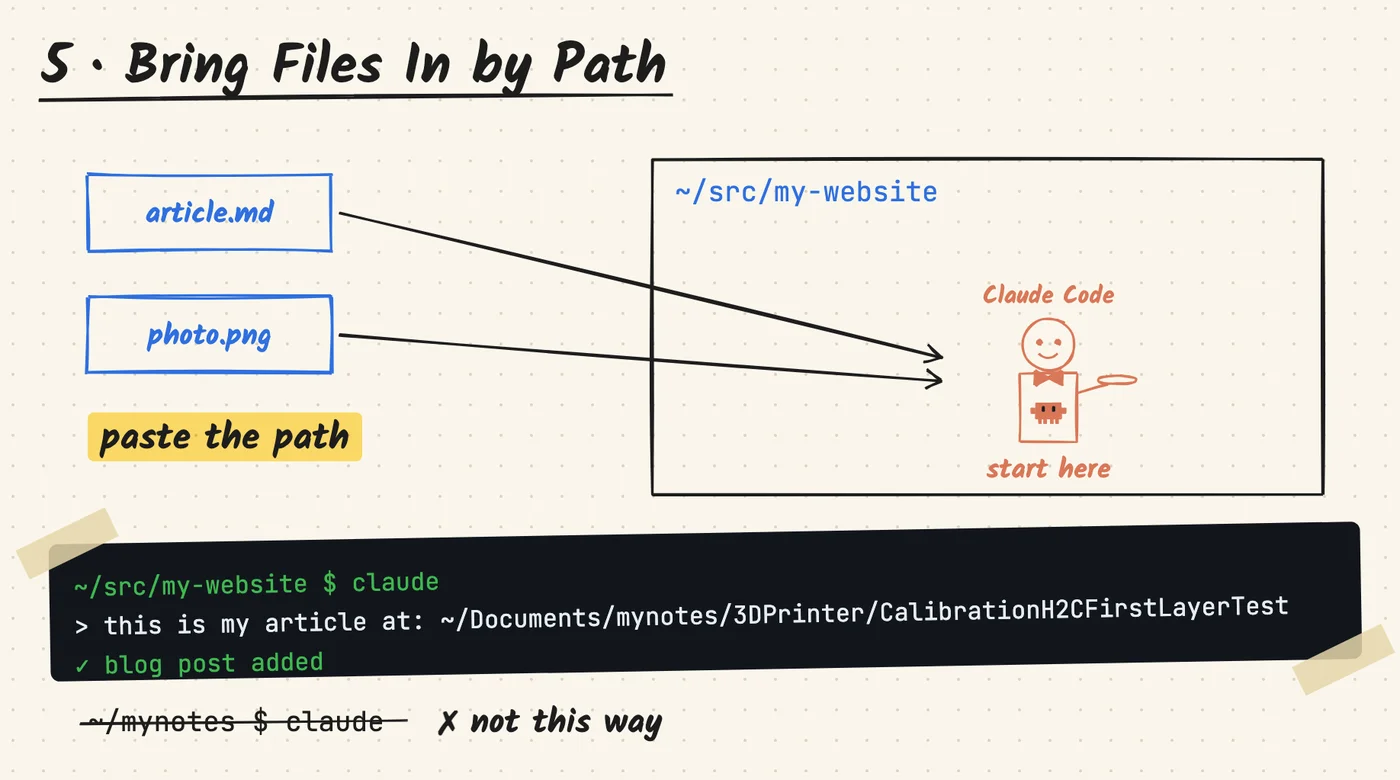
Don't change where you start. If you want Claude to use files outside your current project folder, copy and paste the path. Files, images, all fine.
Say I want to publish a 3D printing article on this blog. I still start Claude in src/my-website and give it the path to my notes, something like ~/Documents/mynotes/3DPrinter/CalibrationH2CFirstLayer. Not the other way around: I wouldn't start Claude in my notes folder.
6 · Save It to .md
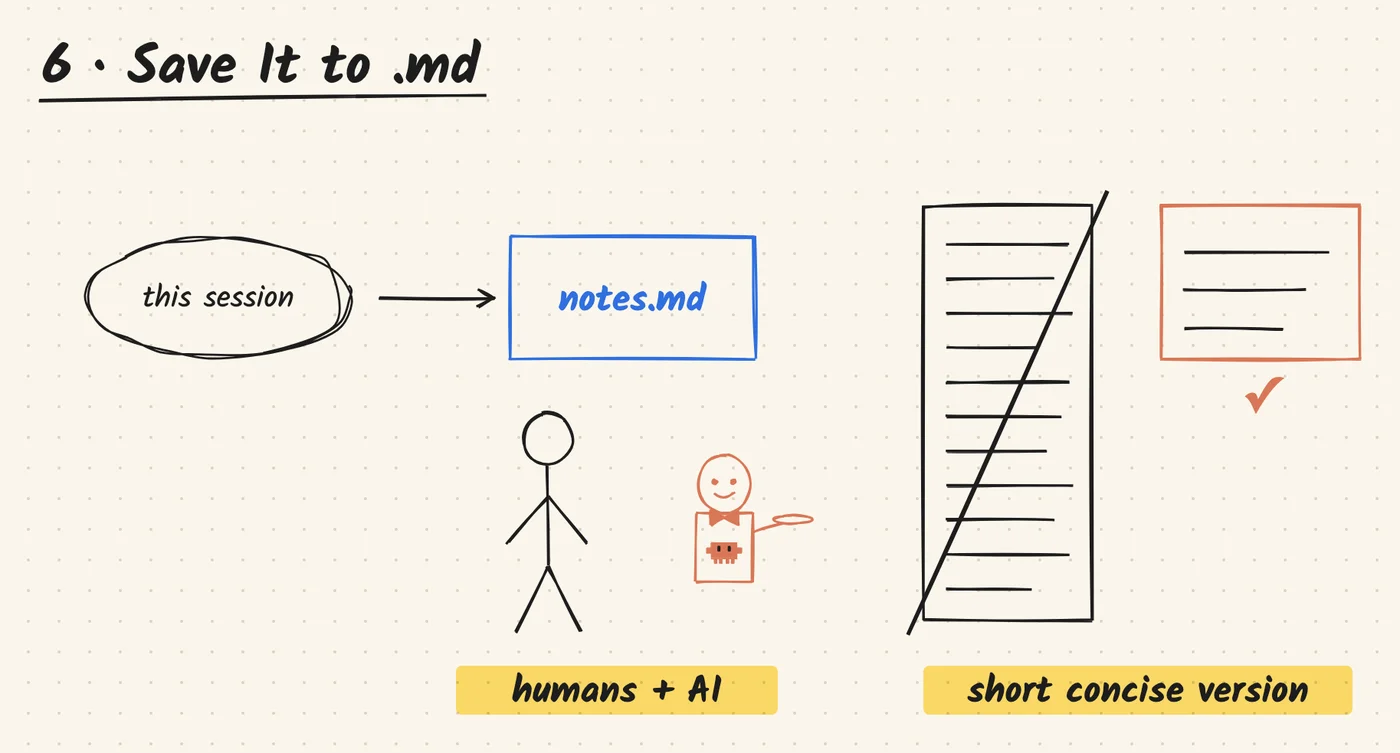
Anything that shouldn't just live in the current session, I save as a .md file. It's the cleanest, most efficient format for both humans and AI to read.
If you plan to revisit it later, ask for a "short, concise version" in .md. That way it won't be intimidating when you come back to it.
7 · Ask It to Interview You
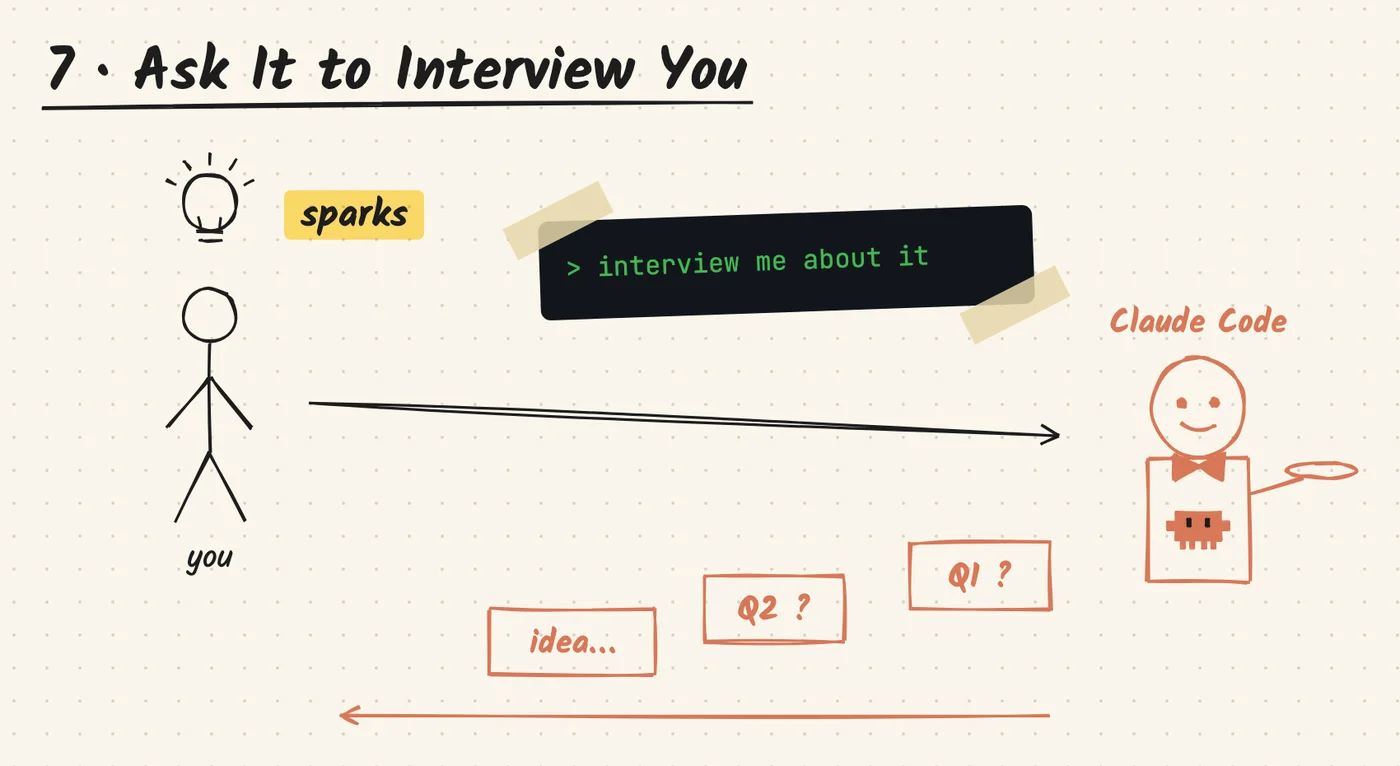
If you don't know, ask it. Even better, ask Claude to interview you. It comes back with questions and good suggestions, and many times that sparks something for me.
8 · Learn with One .html
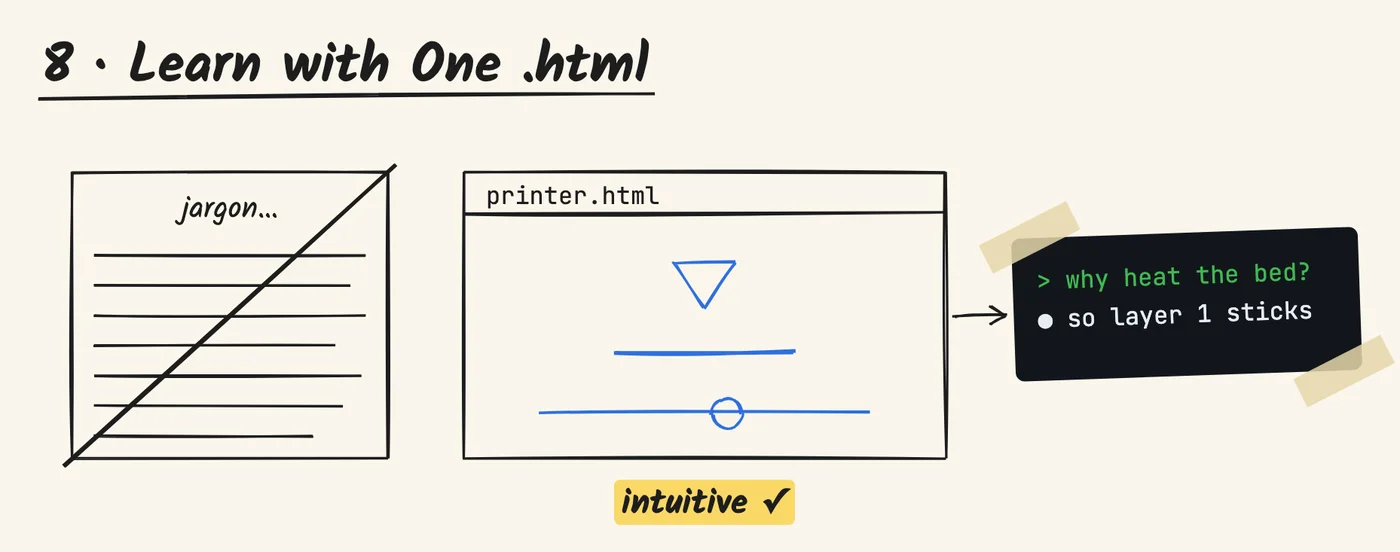
When you're learning something new, ask for one interactive .html file. The first time I learn something, Claude can spit out a lot of text and jargon. An .html page is much more intuitive, with less visual clutter, and I find it way easier. Then for follow-up questions, just chat in the terminal; Claude picks up the point easily.
Try this:
Make me one interactive .html that explains how an FDM 3D printer works. Interview me when necessary.
Here's what that prompt gave me. It's live, so play with it:
Garbage In, Garbage Out
There's one final moral I always remember: garbage in, garbage out. You can outsource your execution, but you can't outsource your thinking. Claude does the work; the idea and the context still come from you.
For me, Claude Code is the key. What it opens up is personal automation: my notes, my home, my projects. If you're not sure where to start, you already know what to do. Just ask Claude.